
Features
Inventory management software, warehouse by warehouse
What's left, where it is and what to reorder: stock follows every sale, every receipt and every transfer.
30 days free · no credit card · no commitment
01
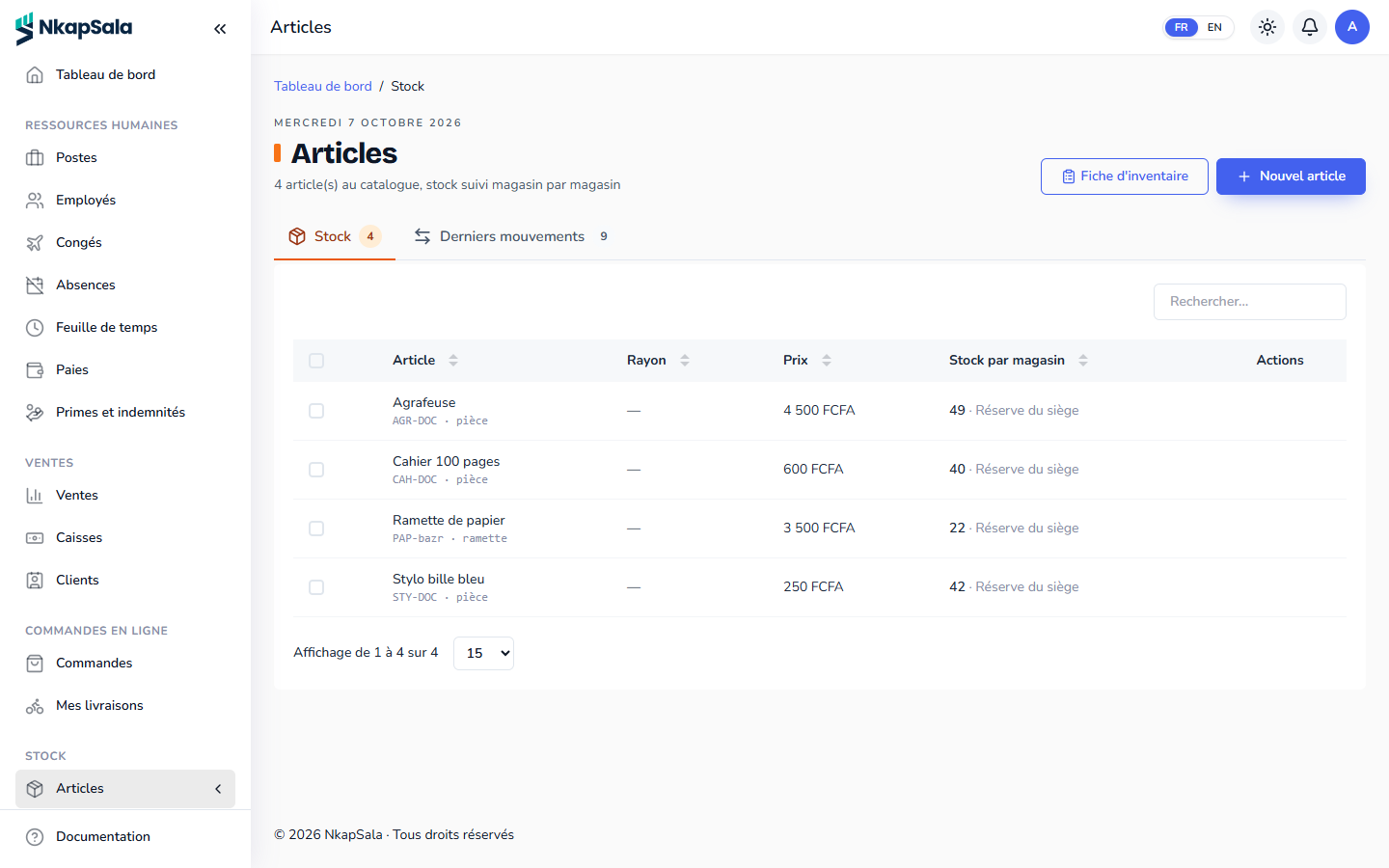
Items and warehouses
Each item has its category, photos, selling price, purchase price, shelf and alert threshold. Each branch has its warehouses, and stock reads warehouse by warehouse.
02
Every movement is tracked
- Register sales and online orders take stock out.
- Supplier receipts bring it in, with their purchase price.
- Transfers move goods from one warehouse to another.
- Shelf stocktaking recounts the stock and corrects the gap.
03
No more stock-outs
Every morning, the bell flags items that have fallen below their threshold. The supplier order suggests a restock based on those thresholds, and the receipts that refer to it close it.
04
Batches, expiry and retail units
Depending on your trade, stock is tracked by batch with its expiry date (the batch that expires first is sold first) and sold by the unit, by the strip or piece by piece, counted in the smallest unit.
Is stock updated in real time?
Yes: each sale, receipt or transfer changes it at once, and the online ordering page only offers what is left.
Can I import my items from Excel?
Yes, with a CSV file: categories, items and warehouses. Opening stock is then entered with a receipt or a stocktake.
Does inventory work without the register?
Yes. Warehouses and stock can be subscribed on their own; the register or online ordering are added when you sell.
06
Read also
-
Point of sale software
A register on a phone or computer: cash, Mobile Money, card, loyalty, receipts, credit notes and closing with variance, even during an Internet outage.
-
Retail store software
Point of sale, inventory, suppliers, customers and loyalty: NkapSala runs your shop, hardware store or minimarket, on a phone or a computer.
-
Pharmacy software
Batches, expiry dates, sales by the strip, prescriptions and third-party payment: NkapSala runs the stock and the register of your pharmacy.
-
Online ordering
An ordering page under your name: pickup or delivery, Mobile Money payment, tracking by phone number, live alerts and a courier board.
Start today, get to work tonight.
The account takes a few minutes to create. You pick your blocks, invite your team, and have 30 days to see if it suits you.